SlabFlow Invoicing Engine

Product overview for client review & validation

Version 1.0 March 2026 Sales invoicing for marble / granite / stone

1. Executive summary

SlabFlow’s invoicing engine is built for stone distributors and fabrication shops that sell full slabs, cut pieces, and fabrication services (cutting, edging).

Unlike generic billing software, SlabFlow connects each invoice line to real slab inventory, reserves stock on draft, updates stock on confirm, and automatically creates remnant slabs after cuts.

flowchart LR subgraph Problems P1[Excel errors] P2[Double-sold slabs] P3[Wrong sq.ft] P4[Lost remnants] P5[No cut planning] end subgraph SlabFlow S1[Linked inventory] S2[Draft reserve] S3[Measurement engine] S4[Auto remnant] S5[Order planner] end P1 --> S1 P2 --> S2 P3 --> S3 P4 --> S4 P5 --> S5

2. Scenario walkthrough (live screens)

The following screenshots are from the actual SlabFlow tenant application. Each scenario matches a common counter workflow.

Scenario 1

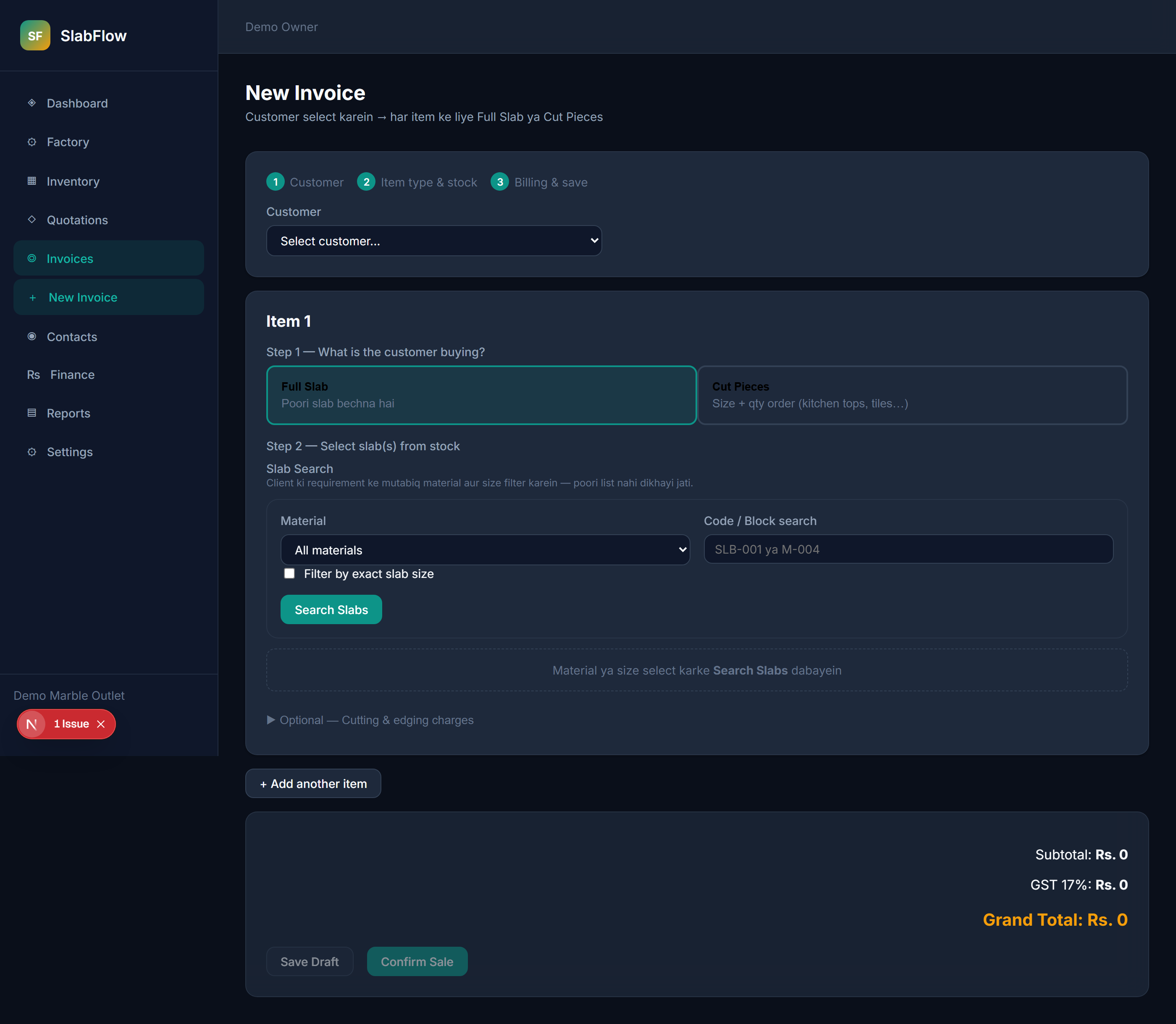
New invoice — 3-step counter flow

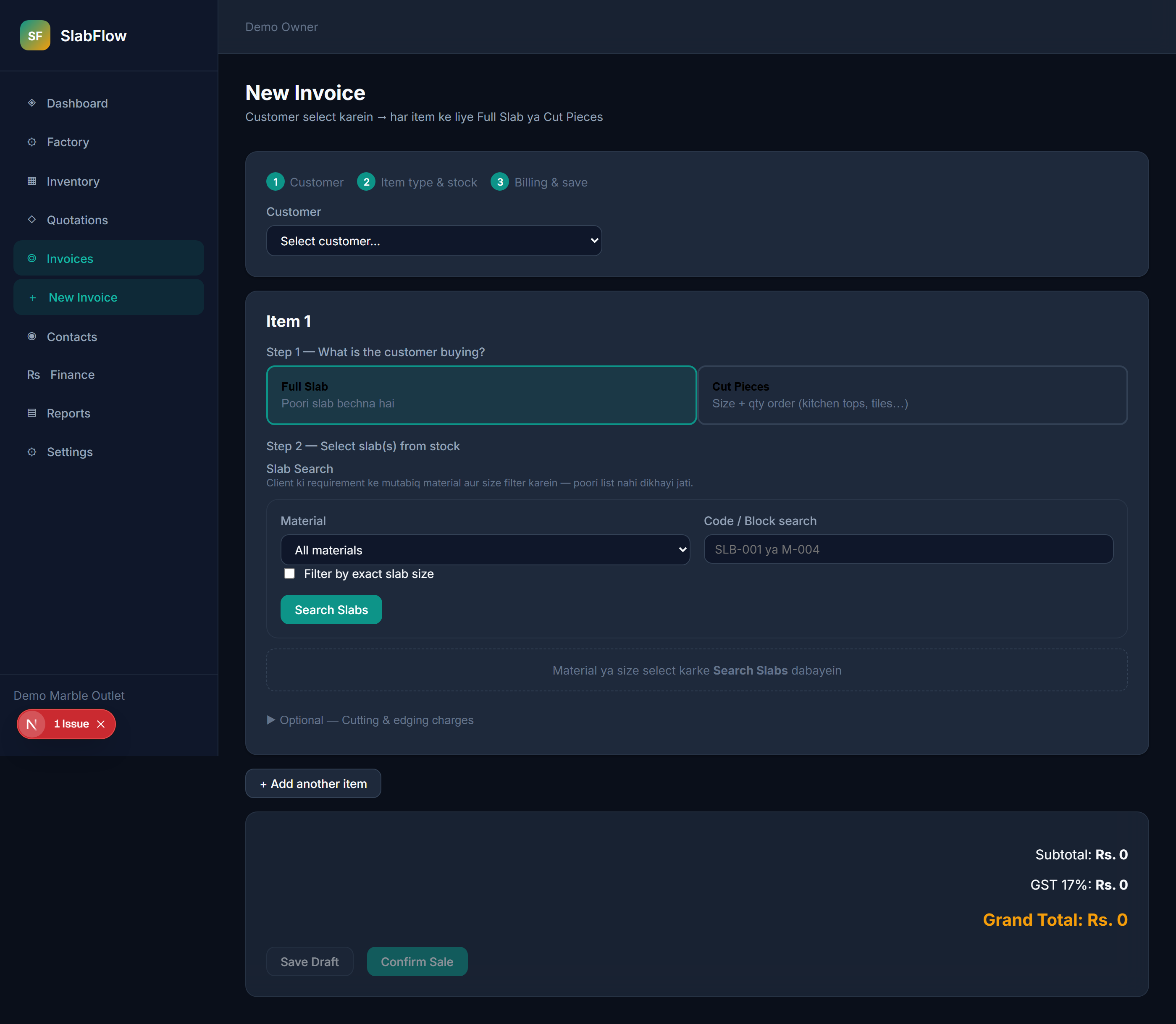
Staff selects customer, then adds items. Each item follows: type → stock → billing.

  1. Open Invoices → New Invoice
  2. Select customer from dropdown
  3. Add line items (full slab or cut pieces)
  4. Save draft or confirm sale
New invoice screen with customer selection and Item 1 full slab / cut pieces choice
Scenario 2

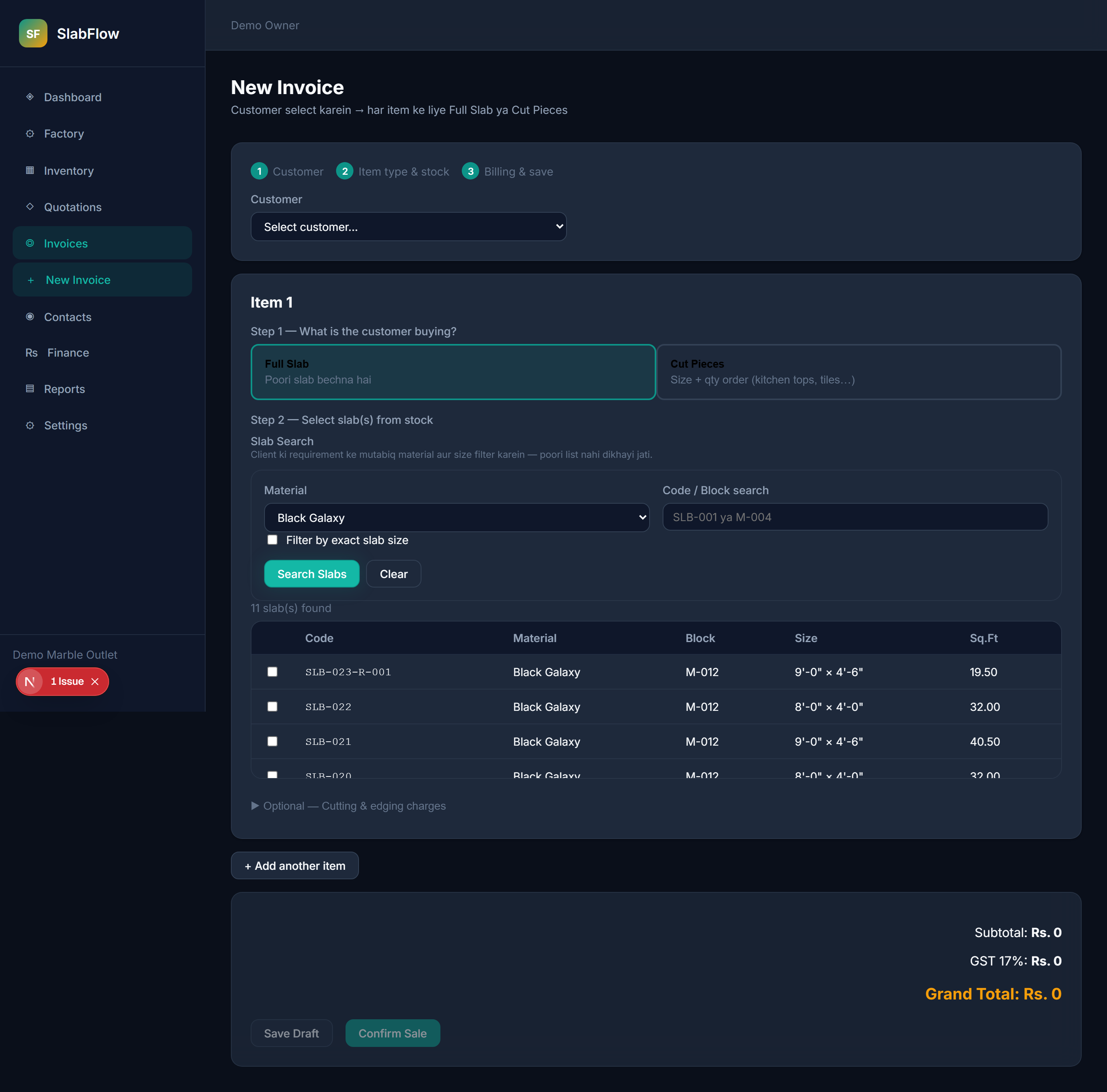
Full slab sale — customer buys whole slab(s)

Example: Builder wants 3 identical 8'×4' Carrara slabs as-is.

  1. Choose Full Slab
  2. Search by material, size, or slab code (not a full yard list)
  3. Select slab(s) → bill = full area × full slab rate per slab
Full slab sale type selected with slab search filters Slab search results after filtering by material
Scenario 3

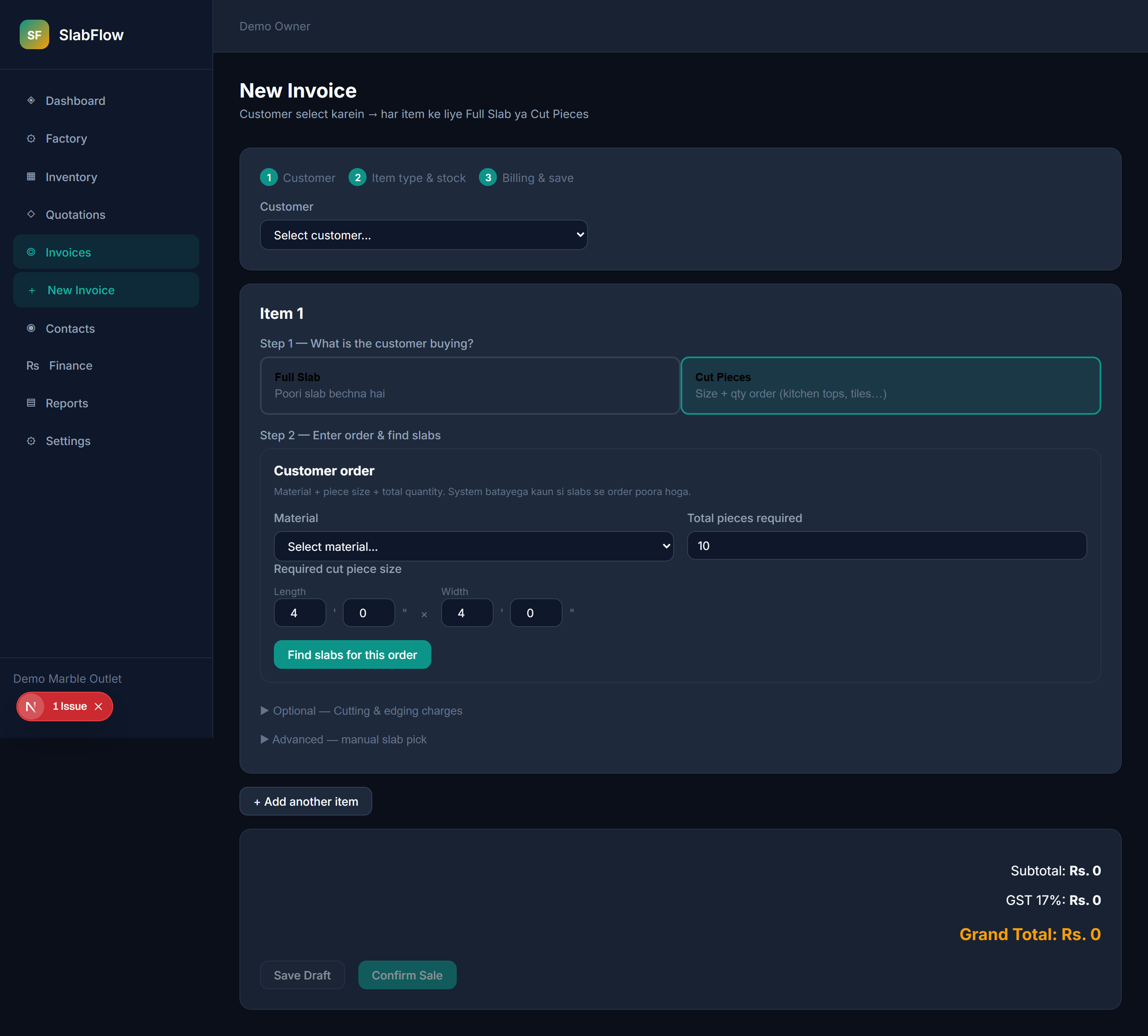
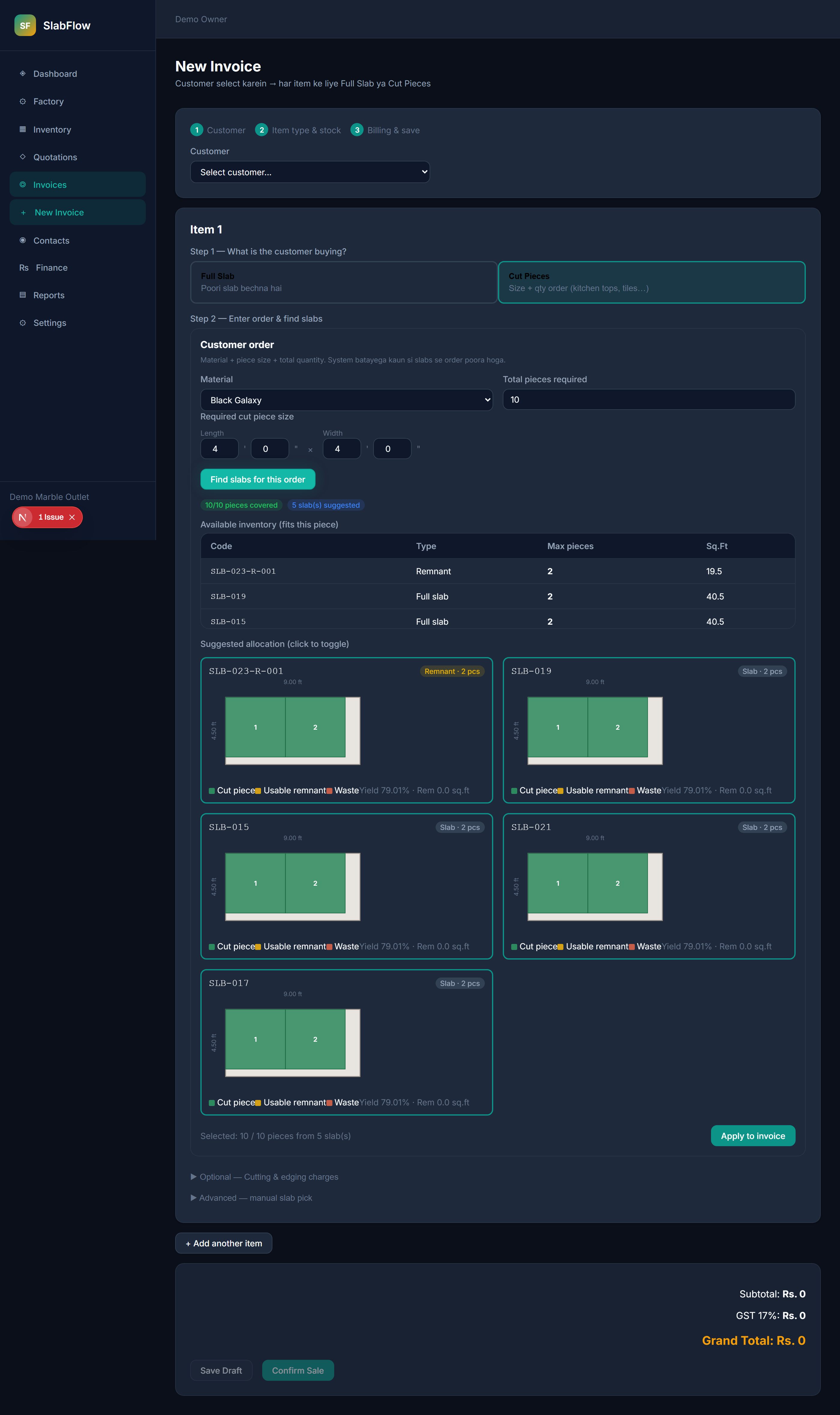
Cut pieces order — size + quantity fulfillment

Example: Customer needs 10 pieces of 4'×4' from a material — system finds which slabs can fulfill the order.

  1. Choose Cut Pieces
  2. Enter material, piece size, total quantity
  3. Click Find slabs for this order
  4. Review allocation + cut layout → Apply to invoice
Cut pieces order planner with material size and quantity Order planner results showing slab allocation and cut layout matrix
Scenario 4

Invoice list & confirmed sale detail

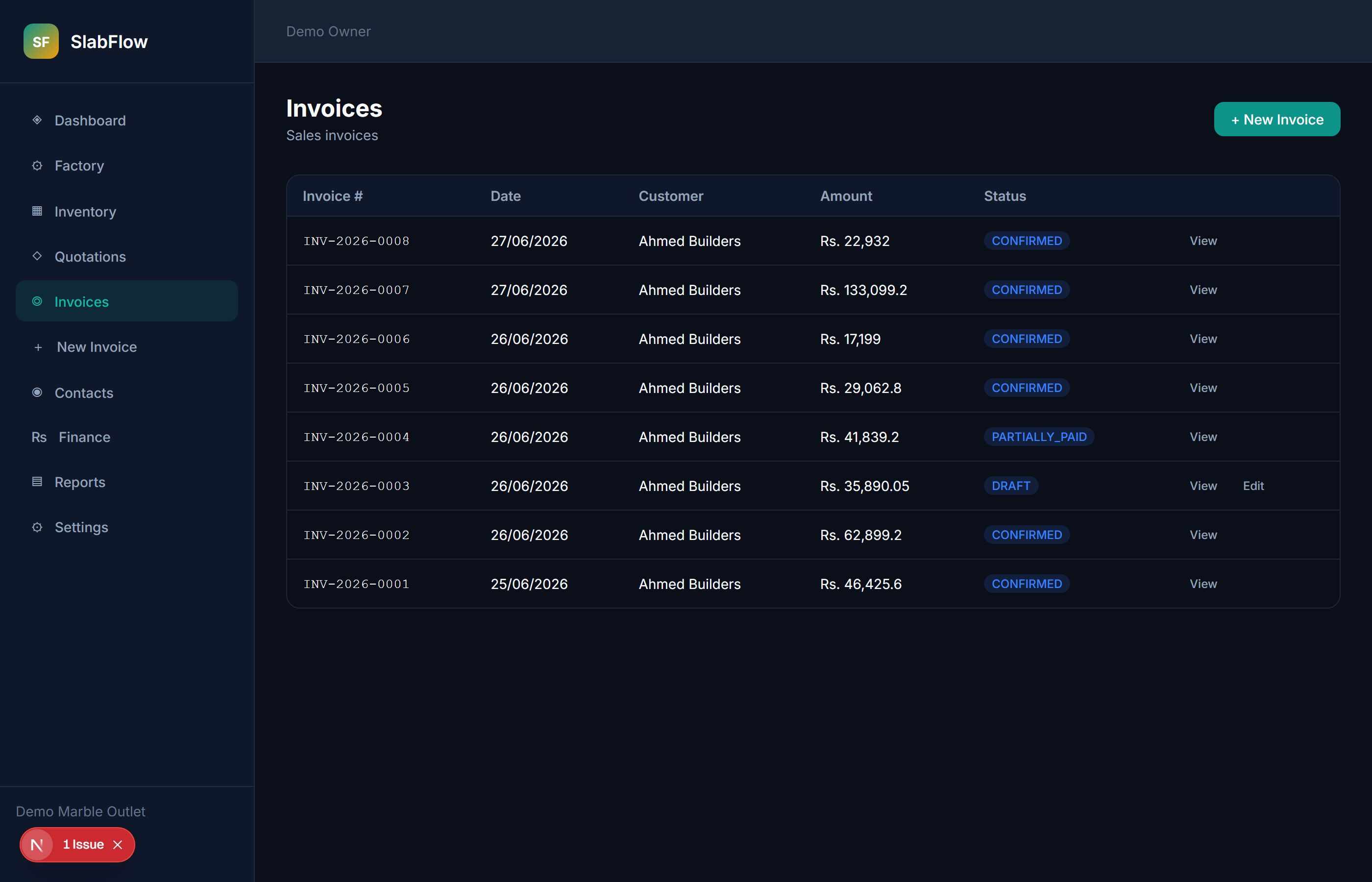
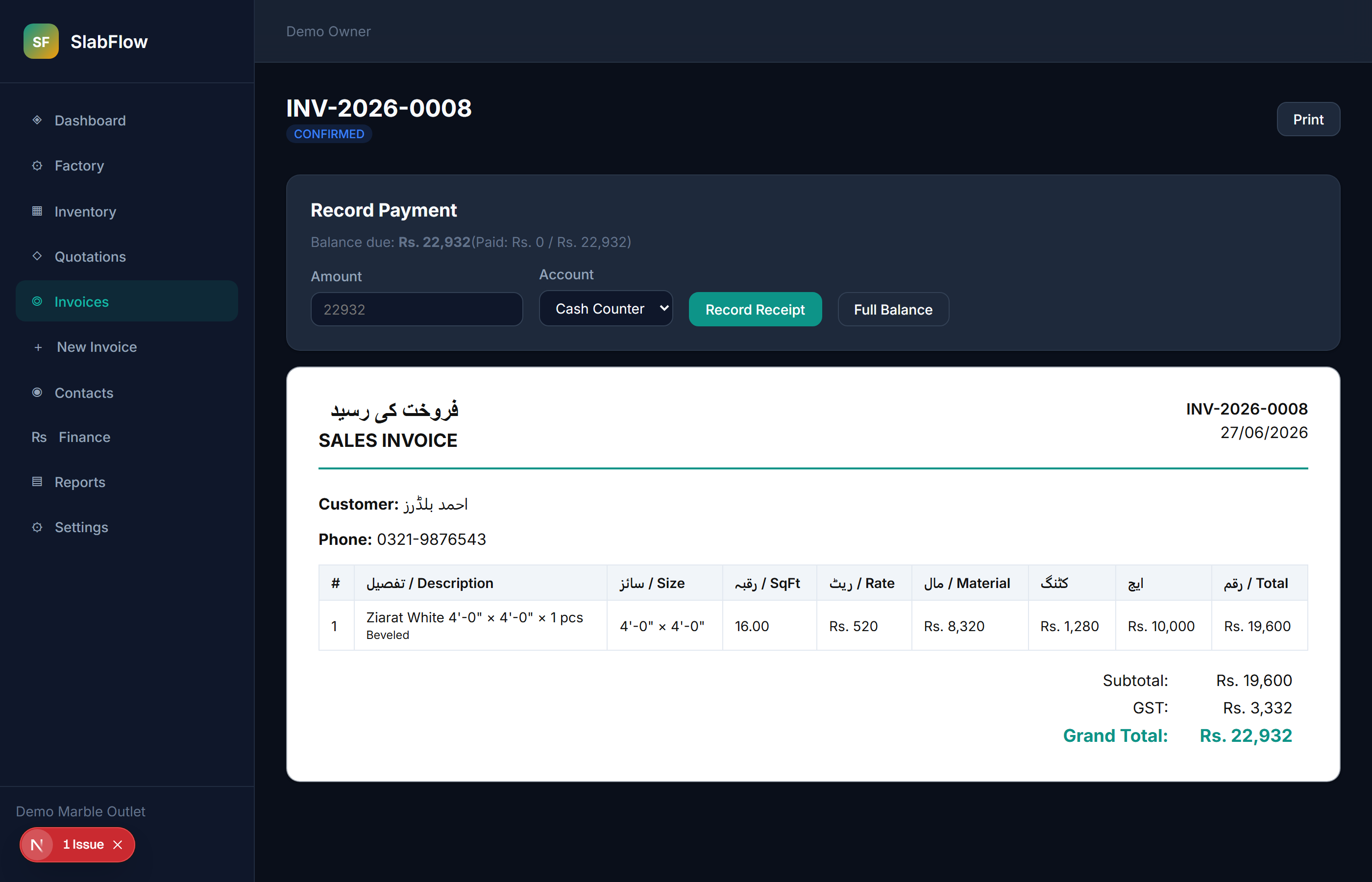
Track draft vs confirmed invoices, view line totals, record payments.

Invoice list with status and totals Confirmed invoice detail with line items and payment section
Scenario 5

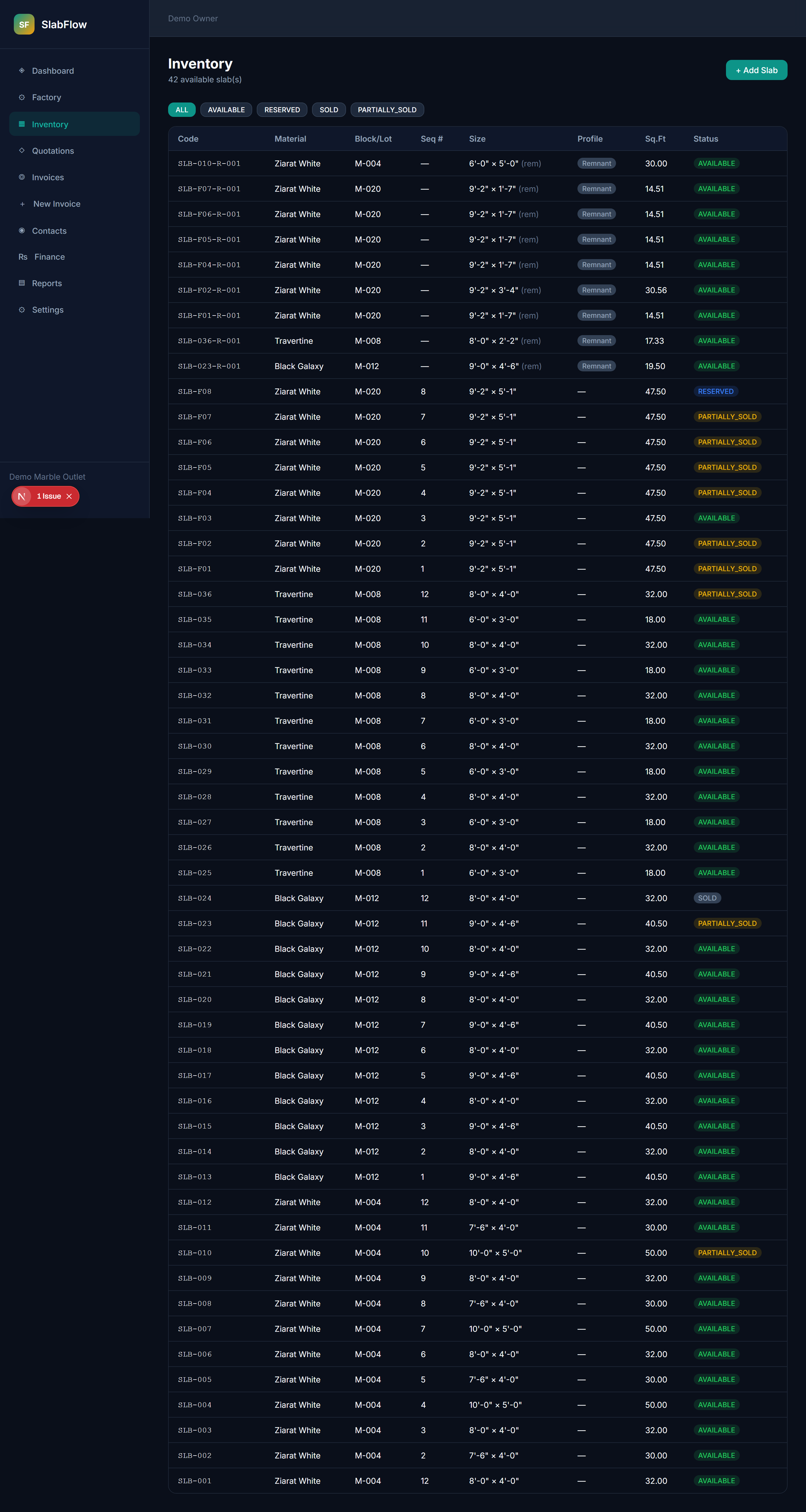
Inventory after cuts — remnants in stock

After confirm, usable leftovers become AVAILABLE remnants (with profile: RECT / L-shape).

Inventory list showing slab status and remnant profiles

3. Problems we solve

Industry painSlabFlow solution
Which slab did we sell?Each line links to specific slab IDs
Two customers quoted same slabDraft reserves slabs
Full slab vs cut pricingSeparate full slab & cut piece rates
10× 4'×4' orderOrder planner + cut layout
Lost remnantsAuto inventory on confirm
Feet + inchesNative 7'-6" × 2'-0" format
GST / paymentsTax on subtotal + receipt recording

4. Invoice lifecycle

stateDiagram-v2 [*] --> DRAFT: Create DRAFT --> DRAFT: Edit DRAFT --> CONFIRMED: Confirm sale DRAFT --> CANCELLED: Cancel CONFIRMED --> [*]: Paid CANCELLED --> [*]: Released
StatusInventoryAccounting
DRAFTSlabs → RESERVEDNot final
CONFIRMEDSOLD / cut + remnantJournal entry
CANCELLEDSlabs → AVAILABLENo sale
flowchart TD A[Customer] --> B{Item type?} B -->|Full Slab| C[Pick slab(s)] B -->|Cut Pieces| D[Order planner] C --> E[Billing] D --> E E --> F[Draft or Confirm]

5. Billing formula

Line Total = Material + Cutting + Edge
ComponentFormula
MaterialBillable sq.ft × rate (min billing may apply)
CuttingFabrication sq.ft × cutting rate
EdgeEdge RFT × profile rate

Material sq.ft by sale type

Sale typeMaterial sq.ft
Full slab (1)1 × slab area
Full slab (N)N × slab area
Cut order (total Q)Q × piece area

6. Inventory & remnants

flowchart TD A[Parent slab] --> B[Cut on invoice] B --> C{Leftover ≥ min?} C -->|Yes| D[Remnant in stock] C -->|No| E[Mark SOLD waste] D --> F[Profile: RECT / L_SHAPE]
ProfileMeaning
RECTSingle rectangular remnant
L_SHAPETwo usable strips after corner cut
MULTIMore than two regions
┌─────────────────────────────┐
│ ■ ■ ■ │   Usable remnant    │
│ ■ ■ ■ │      (amber)        │
│───────│                     │
│ waste │                     │
└─────────────────────────────┘
  Green ■ = pieces sold

7. Included vs planned

Included today

Planned (Phase 2)

FeatureNotes
Sink cutout chargesPer-hole pricing (undermount, top mount)
Cooktop / tap holesFabrication add-on line items
CNC complex shapesNon-rectangular nesting

8. Validation checklist

Please mark Yes / No / Notes for your operation:

#QuestionYour answer
1Sell full slabs at full-slab rate per sq.ft?
2Sell cut pieces at a different (higher) rate?
3Customers order by piece size + quantity?
4Need to reserve material while customer decides?
5Remnants re-sold and tracked in stock?
6Feet + inches is standard format?
7Charge edging separately (RFT × profile)?
8Charge cutting per sq.ft fabrication?
9Need sink / hole charges as separate items?
10GST applied on invoice subtotal?

9. Glossary

TermDefinition
SlabSingle stone unit with unique code
RemnantLeftover after cut, new inventory item
DraftUnconfirmed invoice; slabs reserved
Order plannerFulfill size + qty from available stock
Cut layoutVisual map of pieces, remnant, waste